Stars Can t Shine: A Guide to Using This Hand-Drawn Digital Art
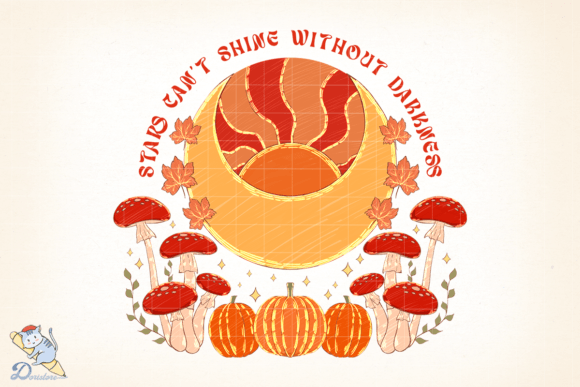
When you first see the Stars Can t Shine design, it captures the eye immediately. The piece is defined by its freehand flowing line work, drawn entirely with pen and ink, creating a sense of movement and organic imperfection that digital vectors often lack. Subtle watercolour brush strokes pick out highlight colours, adding depth without overwhelming the delicate linework. For creators looking to add a touch of artistic soul to their projects, this image offers a unique aesthetic. However, because this is a digital file intended for reproduction, there are specific technical realities you must understand before downloading or printing to ensure your final product matches your vision.
Understanding the Nature of the File
The most common misunderstanding buyers encounter is assuming this is a cutting file. If you own a Cricut or Silhouette machine and are looking for an SVG to cut vinyl or cardstock, Stars Can t Shine is not the right choice for that specific workflow. This product provides high-resolution PNG files only. These images have a transparent background, which is excellent for layering over photos or placing on coloured backgrounds, but they do not contain vector paths for cutting machines.
Attempting to use a raster image like this in cutting software can lead to jagged edges, lost detail, or complete failure of the machine to trace the lines correctly. The beauty of this artwork lies in its fine ink lines and soft watercolour gradients; these details are preserved in a 300 DPI print format but are lost when converted into simple cut paths. To avoid wasted time and material costs, verify your project requirements first. If you need to print onto fabric, create waterslide decals, or produce standard paper prints, this file is perfect. If you need to cut shapes, you will need to look elsewhere.
Avoiding Print Quality Pitfalls
One of the primary reasons customers are dissatisfied with digital downloads is a mismatch between the file resolution and the intended print size. The Stars Can t Shine download includes a file that is 4000×4000 pixels at 300 DPI. While this sounds impressive, it does not mean you can print it infinitely large without consequences. Resolution is finite. If you stretch this image to cover a massive banner or a giant wall mural, the pixelation will become visible, and the smooth flow of the ink lines will turn blocky and blurry.
To maintain the crispness of the pen and ink drawing, you should calculate your maximum print dimensions based on the 300 DPI standard. At this resolution, the image is ideal for A4, A3, or even A2 prints, as well as sublimation transfers for mugs, t-shirts, and tote bags. If you plan to print larger than approximately 13x13 inches (33cm x 33cm) while maintaining photo quality, you may need to lower the DPI requirement or accept a slight loss in sharpness. Always test print a small section before committing to a full production run, especially if you are using sublimation paper where colour density can vary.
Managing Colour Expectations
Another critical area where expectations often diverge from reality is colour accuracy. The description notes that the drawing is coloured with watercolour brushes to pick out a few highlight colours. Watercolour effects rely on transparency and layering, which can be tricky to reproduce digitally. When you view the file on your screen, the colours appear vibrant and fluid. However, your monitor uses RGB (Red, Green, Blue) light, while printers use CMYK (Cyan, Magenta, Yellow, Key/Black) ink or dye.
This shift in colour profiles means the final printed result may look slightly different than what you see on your device. Darker screens might make the highlights pop more, while bright monitors might wash them out. Furthermore, the type of printer you use matters significantly. Inkjet printers handle watercolour-style gradients differently than laser printers, and sublimation printers will render colours differently depending on the fabric or substrate used.
To mitigate this, do not assume the on-screen preview is the final product. If you are working on a commercial project where brand consistency is vital, order a sample print first. Check how the specific highlight colours translate to your chosen medium. You may find that the subtle watercolour tones require a specific paper weight or fabric blend to truly shine. Adjusting your printer settings to "photo" or "high quality" modes can also help preserve the nuance of the ink lines and the softness of the watercolour accents.
Practical Steps for a Successful Project
Before you finalize your purchase or begin your creative process, take a moment to review the technical specifications against your goals. Ensure you have the necessary software to open a zipped folder containing PNG files. Most modern operating systems handle ZIP files natively, but if you are working on a mobile device, you may need a third-party app to extract the files properly.
Once extracted, inspect the image at 100% zoom. Look for the clarity of the freehand lines. Since this is a hand-drawn original scanned and reproduced digitally, there is a natural texture to the lines that adds character. Do not mistake minor grain for low quality; this is part of the artistic style. However, if the lines appear broken or the watercolour areas look muddy at full zoom, check your internet connection during the download to ensure the file was not corrupted.
For those using this art for sublimation or waterslide applications, remember that the transparent background is your friend. It allows you to place the design directly onto patterned fabrics or coloured ceramics without an ugly white box around the image. Just ensure your background colour complements the watercolour highlights rather than clashing with them. A neutral background often lets the pen and ink details stand out best, allowing the Stars Can t Shine theme to convey its intended mood effectively.
Final Thoughts on Value and Usage
The value of the Stars Can t Shine digital file lies in its versatility and artistic integrity. By understanding that it is a raster image designed for printing rather than cutting, and by managing your expectations regarding colour and scale, you can unlock its full potential. Whether you are a hobbyist making personalized gifts, a small business owner creating merchandise, or an educator preparing visual aids, this resource offers a professional look without the cost of commissioning custom art.
Approach your project with these technical considerations in mind, and you will avoid the common frustrations associated with digital downloads. The result will be a high-quality reproduction that honors the original freehand flow and watercolour charm, ensuring that your stars truly shine in their final form.