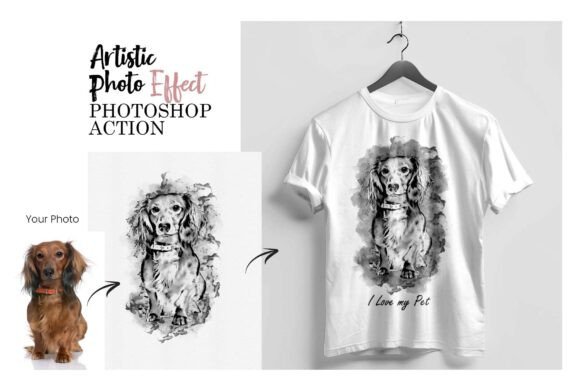
Auto Realistic Digital Painting: An Evaluation
The landscape of digital art has evolved significantly, bridging the gap between traditional photography and artistic interpretation. One tool that has gained attention in this space is the Auto Realistic Digital Painting Photoshop Action. This software utility promises to transform standard portraits into textured, painterly images with minimal user intervention. For photographers, graphic designers, and hobbyists, understanding the capabilities and limitations of such automation tools is essential for making informed decisions about their workflow.
Understanding the Technology
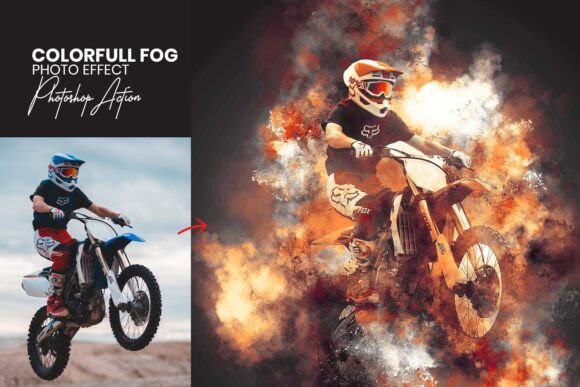
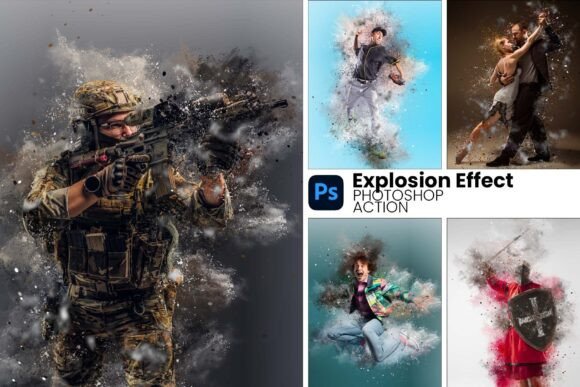
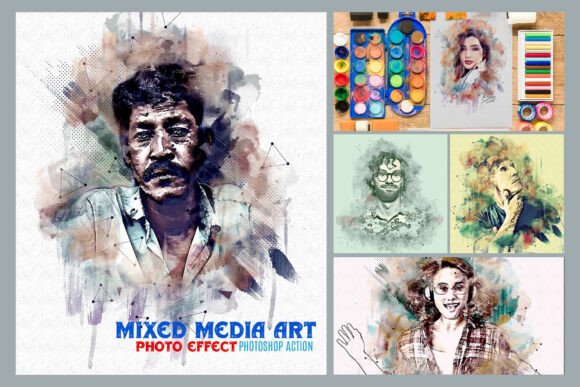
At its core, an Auto Realistic Digital Painting action is a recorded sequence of commands within Adobe Photoshop. Unlike manual painting, which requires hours of brushwork and layer management, this tool automates the application of textures, color grading, and brush strokes. When a user applies the action to a portrait, the software executes a series of predefined steps, including applying custom brushes, adjusting blending modes, and refining edges to mimic the look of oil or acrylic paint.
The process relies heavily on the underlying algorithms embedded in the .ATN (Action) file and the accompanying .ABR (Brush) files. These components work together to analyze the luminosity and contrast of the original image, then overlay artistic elements that simulate depth and texture. The result is an image that retains the recognizability of the subject while adopting the aesthetic qualities of a physical painting.
Why Consider Automated Art Tools?
There are several practical reasons why a professional or enthusiast might evaluate this type of product. The primary driver is often efficiency. Creating a realistic digital painting from scratch demands advanced technical skills, a deep understanding of color theory, and significant time investment. For individuals who need high-volume output—such as wedding photographers offering stylized albums or social media managers creating consistent visual content—automation offers a viable solution.
Furthermore, these tools lower the barrier to entry. Users who possess basic knowledge of Photoshop but lack advanced painting techniques can still achieve professional-looking results. The ability to customize layers after the initial transformation allows for a degree of creative control without requiring the user to master complex brush dynamics. This balance between automation and editability makes it an attractive option for those looking to expand their service offerings quickly.
Benefits and Tradeoffs
Evaluating the Auto Realistic Digital Painting action requires a balanced view of its advantages and potential drawbacks. On the positive side, the organized layer structure ensures that users can fine-tune specific aspects of the effect. If the color grading appears too warm or the brush texture is too aggressive, individual layers can be adjusted, masked, or deleted. This modularity prevents the "black box" problem common in some filters, where the final result cannot be altered once generated.
However, there are tradeoffs to consider. While the action produces impressive results, it may lack the nuance of a hand-painted piece. Automated processes apply rules uniformly across the image, which can sometimes lead to artifacts in areas with complex details, such as hair or intricate clothing patterns. Additionally, the quality of the output is heavily dependent on the input image. A low-resolution or poorly lit photograph will not yield a stunning painting, regardless of the sophistication of the action.
Another consideration is the learning curve associated with troubleshooting. Although the tool is designed for ease of use, issues such as compatibility errors or unexpected color shifts can occur. Users must be prepared to engage with the included help files and potentially adjust their Photoshop settings to ensure smooth operation.
Compatibility and Technical Requirements
Before integrating this tool into a workflow, verifying system compatibility is crucial. The Auto Realistic Digital Painting action is designed for English versions of Adobe Photoshop, specifically supporting versions ranging from CS5.5 through CC2020. This wide range ensures longevity for many users, but it does impose a specific constraint regarding language settings.
If a user operates Photoshop in a non-English interface, they may encounter errors because the action scripts rely on specific layer names and menu commands found only in the English version. The workaround involves temporarily switching the application language to English, running the action, and then reverting to the preferred language. While manageable, this extra step adds friction to the process and should be factored into the decision-making equation.
Ideal Use Cases
This tool is particularly well-suited for specific scenarios where speed and consistency are paramount. Portrait photographers who wish to offer a "painting style" package to clients will find this action valuable. It allows them to deliver unique, artistic products without dedicating hours to each photo. Similarly, content creators needing a cohesive visual theme for a blog or portfolio can use the customizable effects to maintain brand identity across multiple images.
It is also a strong fit for educational purposes. Students of digital art can use the action to deconstruct how professional effects are built. By examining the layered structure and experimenting with the provided brushes, learners can gain insights into texture application and color manipulation that would otherwise take years to develop manually.
When to Consider Alternatives
Despite its utility, the Auto Realistic Digital Painting action is not a universal solution. Artists seeking a completely unique, one-of-a-kind masterpiece may find the automated nature limiting. In cases where the goal is to create a highly personalized piece with specific emotional nuances, manual digital painting or commissioning a human artist remains the superior choice.
Additionally, professionals working with ultra-high-resolution commercial prints should test the action thoroughly before committing to large projects. While the tool handles standard web and print resolutions well, the complexity of the layers and the nature of the brush strokes might reveal imperfections when viewed at 100% zoom on very large formats. In such instances, a more bespoke approach to texturing and painting might be necessary to meet strict quality standards.
Making an Informed Decision
Determining whether the Auto Realistic Digital Painting action aligns with your goals requires a clear assessment of your current skill level, time constraints, and desired outcome. If you value efficiency and are willing to accept a certain degree of standardization in exchange for speed, this tool offers a compelling solution. Its organized layers and included support materials provide a safety net for users navigating the complexities of automated art generation.
Conversely, if your priority is absolute artistic freedom or if you require a seamless experience without language configuration hurdles, you may need to weigh the benefits against the operational adjustments required. Ultimately, the value of the Auto Realistic Digital Painting action lies in its ability to serve as a powerful assistant rather than a complete replacement for artistic intent. By understanding its strengths and limitations, users can leverage it effectively to enhance their creative output while maintaining control over the final result.